
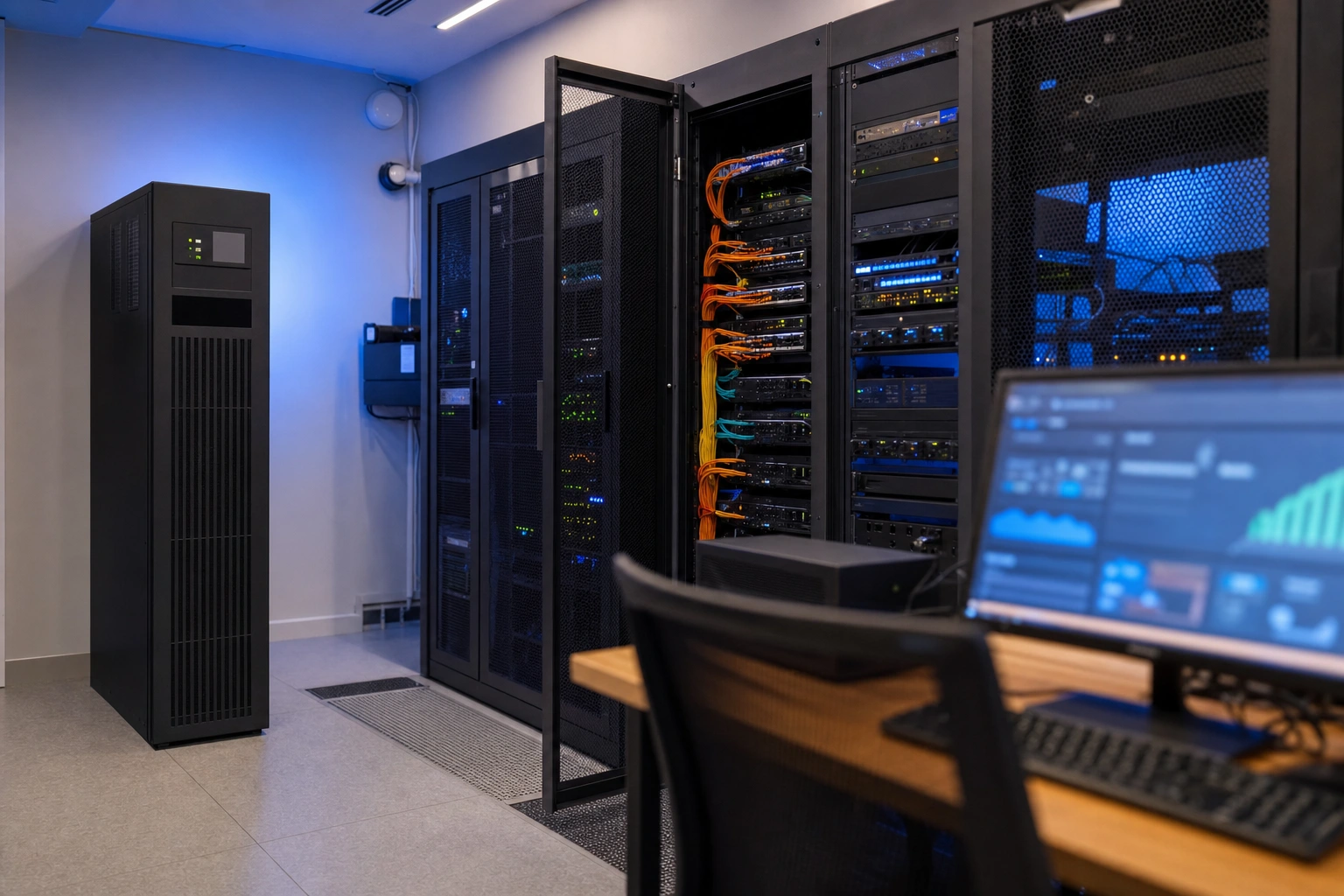
Information technology infrastructure is the foundation on which digital work depends. Whenever an organisation sends email, processes a mobile-money payment, stores customer records, hosts a website or allows staff to work remotely, an underlying combination of hardware, software, networks, data facilities and people makes that activity possible.
Understanding IT infrastructure is useful even if you are not a technical specialist. Business owners need it when choosing systems and controlling costs, professionals need it when managing digital risks, and technology teams need it when designing reliable services. The central question is not simply which computers an organisation owns, but how all its technology components work together to deliver useful, secure and dependable services.
What IT Infrastructure Means
IT infrastructure is the collection of physical and digital resources used to create, operate, connect, protect and maintain information systems. It includes equipment such as servers, computers, routers and storage devices, as well as software platforms, cloud services, communication links, security controls and technical procedures.
It is helpful to distinguish infrastructure from applications. An application is a specific programme used to perform a task, such as accounting, stock control or customer relationship management. Infrastructure is the environment that allows that application to run. For example, a retail point-of-sale application may depend on computers or tablets, a local network or internet connection, a database, user accounts, power protection and backup systems.
Infrastructure is also different from data. Data is the information an organisation creates or uses, such as sales records or examination results. Infrastructure provides the systems in which that data is stored, processed, transmitted and protected.
The Main Components of IT Infrastructure
1. Computing hardware
Computing hardware supplies processing power. This includes desktop computers, laptops, tablets, smartphones, servers and specialised devices such as point-of-sale terminals or industrial sensors.
A server is a computer that provides resources or services to other devices. It may host a website, manage user accounts, run a database or store shared files. A server can be a physical machine in an organisation’s premises or a virtual machine running in a cloud data centre.
Performance depends on factors such as the processor, memory, storage speed and workload. A small consultancy may operate effectively with cloud applications and ordinary laptops, while a research organisation processing large datasets may require substantial computing capacity. Choosing equipment should therefore begin with business requirements rather than the assumption that the newest or most powerful device is automatically the best choice.
2. Networks and connectivity
Networks allow devices and systems to communicate. A local area network connects devices within a limited location such as an office, school or warehouse. A wide area network connects sites across larger distances. The internet links an organisation to external services, customers, suppliers and cloud platforms.
Common network components include switches, which connect devices within a network; routers, which direct traffic between networks; wireless access points, which provide Wi-Fi; and firewalls, which inspect and control network connections. Fibre, mobile broadband, fixed wireless and other connectivity options may be used depending on location, cost and availability.
Important network considerations include bandwidth, or the amount of data that can be transferred; latency, or the delay before data reaches its destination; reliability; coverage; and security. A business may have adequate bandwidth but still experience poor performance if its connection has high latency or if its internal wireless network is badly designed.
3. Data storage and databases
Storage preserves files, applications and other digital information. Hard disk drives, solid-state drives, network-attached storage and cloud storage are common examples. Storage systems differ in speed, capacity, cost and resilience.
A database is a structured system for organising and retrieving information. A school, for example, might use a database for learner records, fees and examination results. A database is not merely a folder of documents: it supports controlled access, searching, relationships between records and consistent updates.
Organisations should consider how long data must be retained, who may access it, how quickly it must be recovered and what would happen if it were lost. Storage alone is not a backup. A backup is a separate, recoverable copy maintained so that information can be restored after accidental deletion, equipment failure, corruption or a security incident.
4. Software and operating platforms
Infrastructure software provides the operating environment in which applications function. Operating systems manage hardware resources and provide common services. Virtualisation platforms allow one physical server to run several isolated virtual machines. Database management systems, web servers, identity systems and monitoring tools are also infrastructure software.
Modern organisations often use software as a service, in which a provider operates the underlying infrastructure while customers access the application through the internet. Email, online accounting and collaboration platforms may be delivered in this way. This can reduce the need to maintain local servers, but it does not remove the organisation’s responsibility to manage users, permissions, data quality and supplier relationships.
5. Facilities and physical environment
Physical infrastructure remains important even in cloud-based environments. Devices need secure storage, electricity, cooling and suitable working conditions. Servers require protection from overheating, dust, moisture, unauthorised access and power interruptions.
Power protection may include surge protection, uninterruptible power supplies and backup generation, depending on the organisation’s needs. In areas where power reliability is a concern, planning for safe shutdowns and maintaining connectivity alternatives can protect both equipment and business operations.
6. People, processes and support
Technology does not manage itself. Infrastructure depends on system administrators, network specialists, cybersecurity staff, vendors, managers and ordinary users who follow appropriate procedures. Processes for onboarding users, approving access, applying updates, responding to incidents and retiring equipment are part of the infrastructure environment.
This human element is sometimes overlooked. A well-designed firewall cannot compensate for shared passwords, untrained users or unclear responsibility for backups. Reliable infrastructure combines technology with documented processes and accountable people.
How the Components Work Together
IT infrastructure is best understood as a system of dependencies. Consider an online shop operated by a small Kenyan business. A customer uses a phone and an internet connection to visit the shop. A domain name directs the request to a web service. The web application communicates with a database containing product and order information. Payment processing may involve an external payment provider. The business needs identity controls for staff, encrypted connections, backups, monitoring and a way to respond if the website becomes unavailable.
If the internet connection fails, the customer may not reach the shop. If the database is unavailable, products or orders may not load. If staff permissions are poorly configured, confidential information may be exposed. If backups are missing, a damaged database could cause a serious interruption. The customer sees a website, but the service depends on many infrastructure layers working together.
This layered view helps with troubleshooting. A technician can ask whether the problem is with the device, network, operating system, application, database, external provider or user account. It also helps planners identify single points of failure, where one component can bring down an entire service.
Common IT Infrastructure Deployment Models
On-premises infrastructure
On-premises infrastructure is owned or directly controlled by the organisation and operated at its premises or in a facility it manages. It may provide greater control over configuration and physical location. However, the organisation must plan for equipment purchases, space, power, maintenance, security, upgrades and eventual replacement.
This model may suit organisations with specialised requirements, existing technical expertise or a need to operate systems locally. It can become expensive or difficult to scale if demand changes quickly.
Cloud infrastructure
Cloud infrastructure uses computing, storage, networking or software services supplied through a provider. Capacity can often be increased or reduced more easily than with equipment owned on site. The provider normally manages much of the physical environment, while the customer manages the parts specified by the service arrangement.
Cloud services are not automatically secure or inexpensive. Costs can increase through unused resources, data transfer or poorly controlled subscriptions. Availability also depends on connectivity and the provider’s service performance. Organisations should review access controls, backup arrangements, data location requirements, service commitments and exit options before adopting a cloud service.
Hybrid infrastructure
Hybrid infrastructure combines local systems with cloud services. An organisation might keep a specialised database locally while using cloud email and online collaboration tools. A hybrid model can support gradual modernisation, but it introduces integration and management challenges. Data must move reliably between environments, identities should be managed consistently, and responsibilities must be clearly documented.
Security as an Infrastructure Responsibility
Security is not a single product added at the end of an infrastructure project. It is a set of controls applied across devices, networks, applications, data and people.
- Identity and access management: give each user an individual account, apply the least access necessary and remove access promptly when roles change.
- Authentication: use strong passwords and, where available, multi-factor authentication for important accounts.
- Patch management: update operating systems, applications, network devices and security tools to address known weaknesses.
- Network protection: use firewalls, secure Wi-Fi settings and sensible separation between different types of devices or users.
- Data protection: protect sensitive information in storage and during transmission, and control how it is copied or shared.
- Backup and recovery: maintain tested backups and define how important services will be restored after disruption.
- Monitoring and response: record relevant events, watch for unusual activity and establish a process for reporting and handling incidents.
Security controls should reflect risk. A small organisation may not need a complex security operations centre, but it still needs disciplined account management, updates, backups, device protection and user awareness. Security is strongest when practical controls are consistently applied.
Reliability, Scalability and Performance
Good infrastructure is not judged only by whether it works today. It should also support the organisation’s future needs.
Reliability means a service performs consistently and can recover from faults. Redundant internet links, backup power, replicated data and spare equipment can reduce the effect of individual failures. Redundancy should be based on the importance of the service and the cost of downtime.
Scalability is the ability to handle growth. A growing online retailer may need more storage, processing power, user accounts or network capacity. Scaling vertically means increasing the resources of an existing system; scaling horizontally means adding more systems to share the workload. Cloud platforms often make scaling easier, but they still require planning and cost control.
Performance concerns how quickly and smoothly users can complete tasks. Performance problems may result from slow hardware, insufficient memory, network congestion, poorly designed applications, database bottlenecks or external services. Monitoring should measure meaningful indicators, such as response time, availability, storage capacity and failed transactions, rather than relying only on complaints.
Managing the Infrastructure Lifecycle
Infrastructure passes through several stages: planning, acquisition, configuration, operation, maintenance, review and retirement. A simple asset register can record equipment, software licences, owners, locations, warranty details and replacement dates. This reduces the risk of forgotten devices and unsupported software.
During planning, identify business services and their requirements. During acquisition, compare total cost rather than purchase price alone. Configuration should follow secure standards and be documented. Operation requires monitoring, support and regular updates. Reviews should examine capacity, incidents, costs and changing business needs. Retirement should include secure removal of data and formal disposal or reuse procedures.
Documentation is particularly valuable. Network diagrams, supplier contacts, recovery instructions and system dependencies allow another authorised person to support the environment when the usual administrator is unavailable.
Applying This in Practice
When assessing infrastructure for a business, non-profit organisation or professional practice, use the following process:
- List essential services. Identify the activities that must continue, such as sales, payroll, customer communication, learning delivery or clinical administration.
- Map dependencies. For each service, record the required devices, applications, accounts, networks, data and external providers.
- Assess risks. Ask what could fail, what information could be exposed and how long the organisation could operate without the service.
- Set requirements. Define acceptable downtime, storage needs, performance expectations, access rules and recovery priorities.
- Choose an operating model. Compare on-premises, cloud and hybrid options against cost, control, skills, connectivity, security and scalability.
- Implement safeguards. Configure permissions, updates, endpoint protection, backups, monitoring and documented procedures before relying on the system.
- Test and improve. Restore a backup, review user access, simulate a connectivity failure and check whether staff know how to report an incident.
For example, a small training centre might begin with managed cloud email, a secure wireless network, encrypted laptops, a shared document platform and scheduled backups. As enrolment grows, it may add a learning management system, stronger identity controls and a second internet connection. The appropriate design changes with the organisation’s services and risks; there is no single infrastructure blueprint that fits every situation.
Key Takeaways
- IT infrastructure is the combination of hardware, software, networks, data facilities, security controls, people and processes that enables digital services.
- Servers, storage, databases, networks and applications are interdependent, so troubleshooting should examine the full service chain.
- On-premises, cloud and hybrid models each involve trade-offs in control, cost, skills, connectivity, security and scalability.
- Security requires disciplined access management, updates, backups, monitoring and user procedures rather than one security product.
- Reliable infrastructure is planned for failure, growth, performance and recovery, not only for present-day operation.
- Begin an infrastructure review by identifying essential services, mapping their dependencies and testing whether they can be restored after disruption.
No comments yet.